PISTACHO
INTERACTIVE SYSTEM
TEAM
Isabella Sánchez Z
Nataly Betancur C
ROLE
UX Research
UX / UI Design
Fullstack Developer

Building Literacy Without Barriers
Pistacho is an interactive system that supports phonological awareness in young blind children, aiding in early literacy skills like identifying and segmenting phonemes. Designed to compensate for the lack of visual cues, Pistacho offers sensory-rich alternatives to make learning accessible and effective.
Problem
Language Acquisition for Blind Children: Essential for learning and communication, with reading and writing critical for developing oral skills.
Phonological Awareness: Involves recognizing, segmenting, and breaking down words into phonemes (the sounds of each letter).
Challenges for Blind Children: They cannot visually link phonemes (sounds) to graphemes (letters). Face specific difficulties in the syllabic-alphabetic phase, where each phoneme corresponds to a single grapheme.
Impact on Learning: These challenges make the learning process longer and more complex for blind children.

Research
The research began with a context observation at the institute, involving an in-depth observation of language classes and interviews with the teachers and the speech therapist. Additionally, the physical spaces and materials used during the lessons were evaluated. Subsequently, detailed interviews were held with the key stakeholders involved in the educational process, gathering essential information on the development of phonological awareness in the students. This analysis made it possible to identify user needs and provided as the foundation for creating a requirements document for the interactive system, clearly defining the necessary functionalities.
IDEATE
Solution
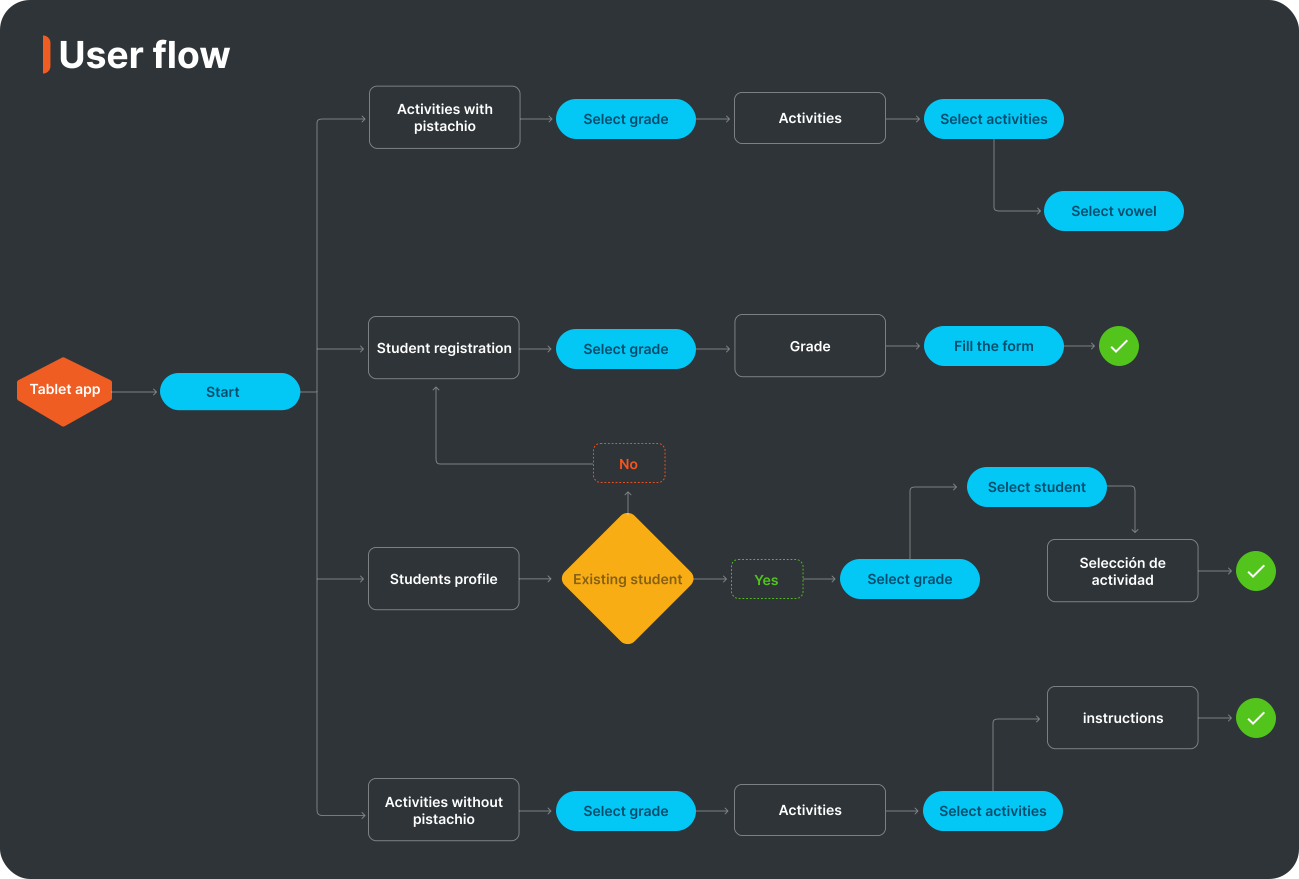
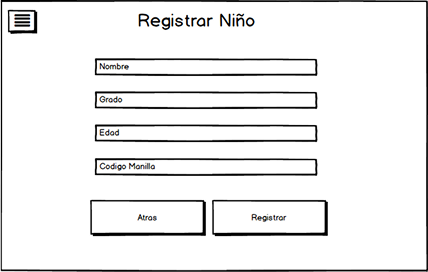
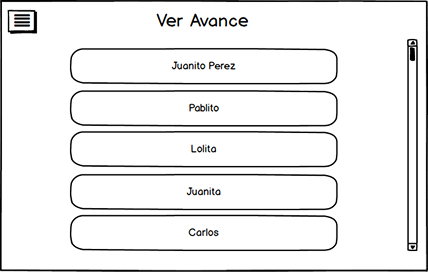
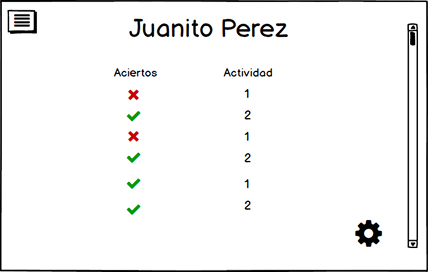
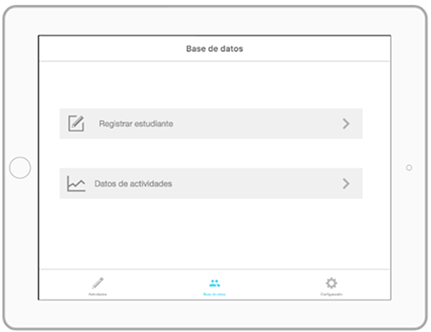
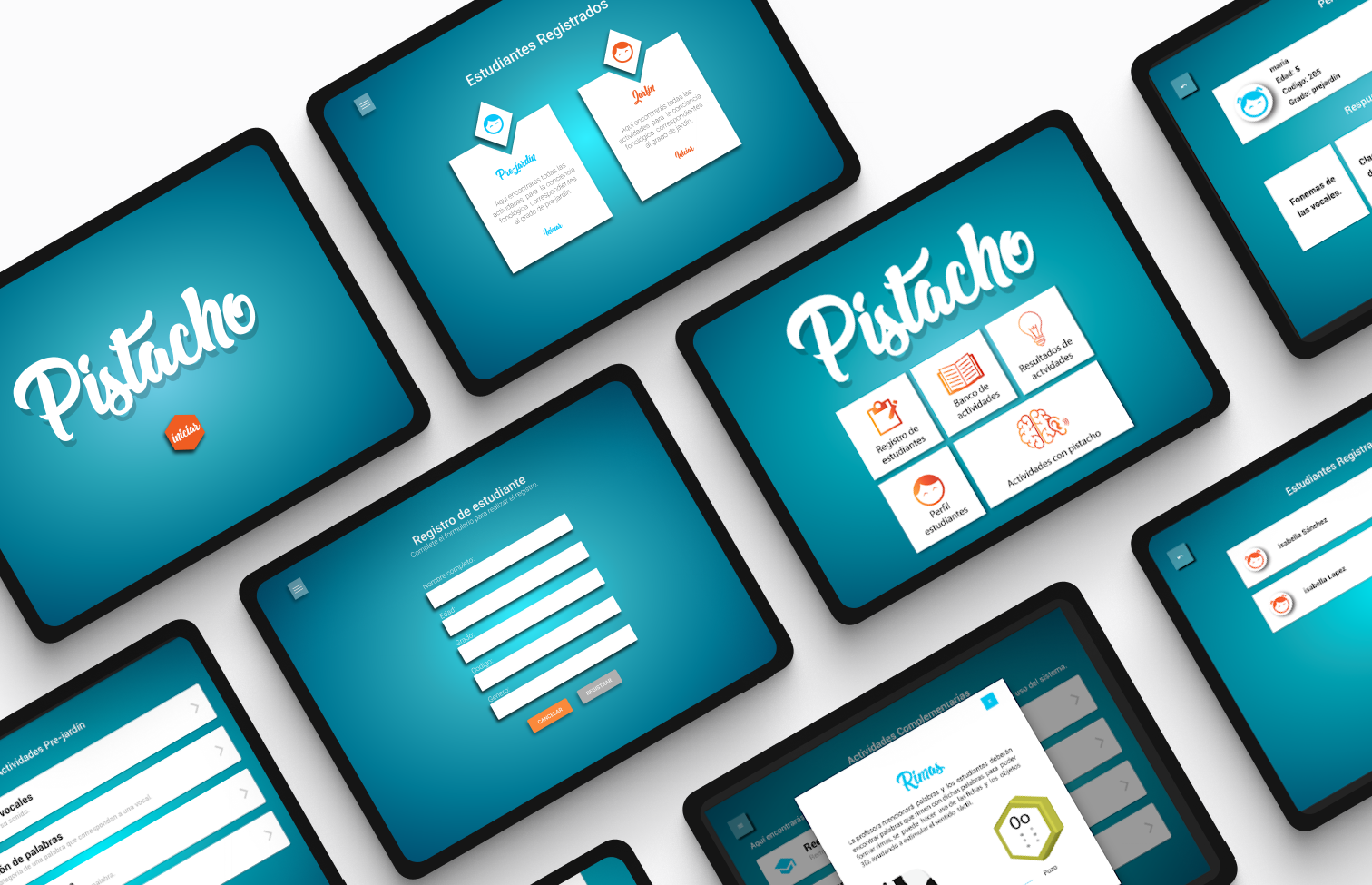
To address the identified problem, a multimodal interactive system called Pistacho was developed, integrating both software and hardware components. The software, specifically designed for speech therapists and early-grade teachers, serves three primary purposes: (a) managing and controlling activities facilitated by the hardware, (b) maintaining a database to store children's information, and (c) providing real-time tools for teachers to monitor students' responses during activities.
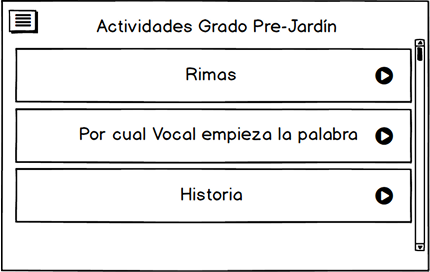
The activities, which emphasize enhancing phonological awareness with a focus on vowels, were carefully designed based on contextual research that highlighted the effectiveness of auditory-focused tasks in supporting learning. While Pistacho plays a valuable role in fostering phonological development within the classroom, it is intended to complement, not replace, the teacher's critical role in guiding and facilitating learning.
Wireframes
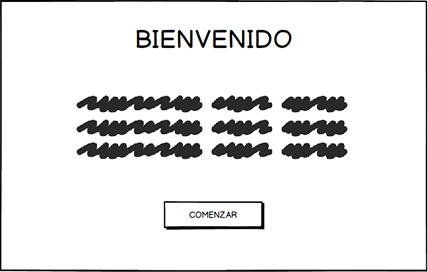
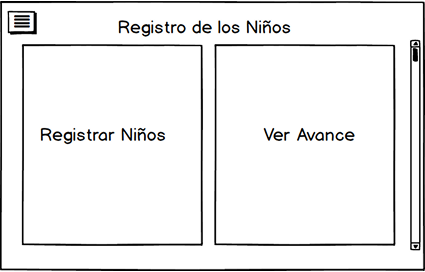
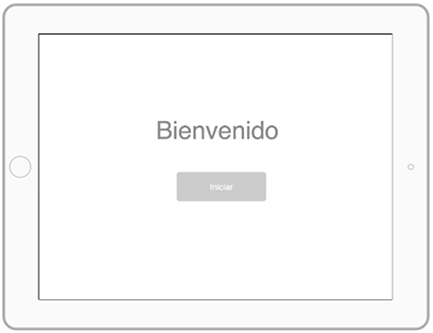
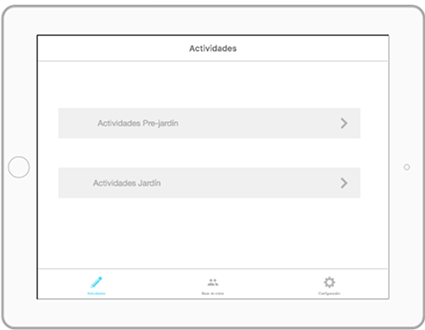
To quickly visualize our idea, we created a low-fidelity prototype to plan the structure, functionality, and user experience before committing to coding or detailed design.
IMPLEMENT
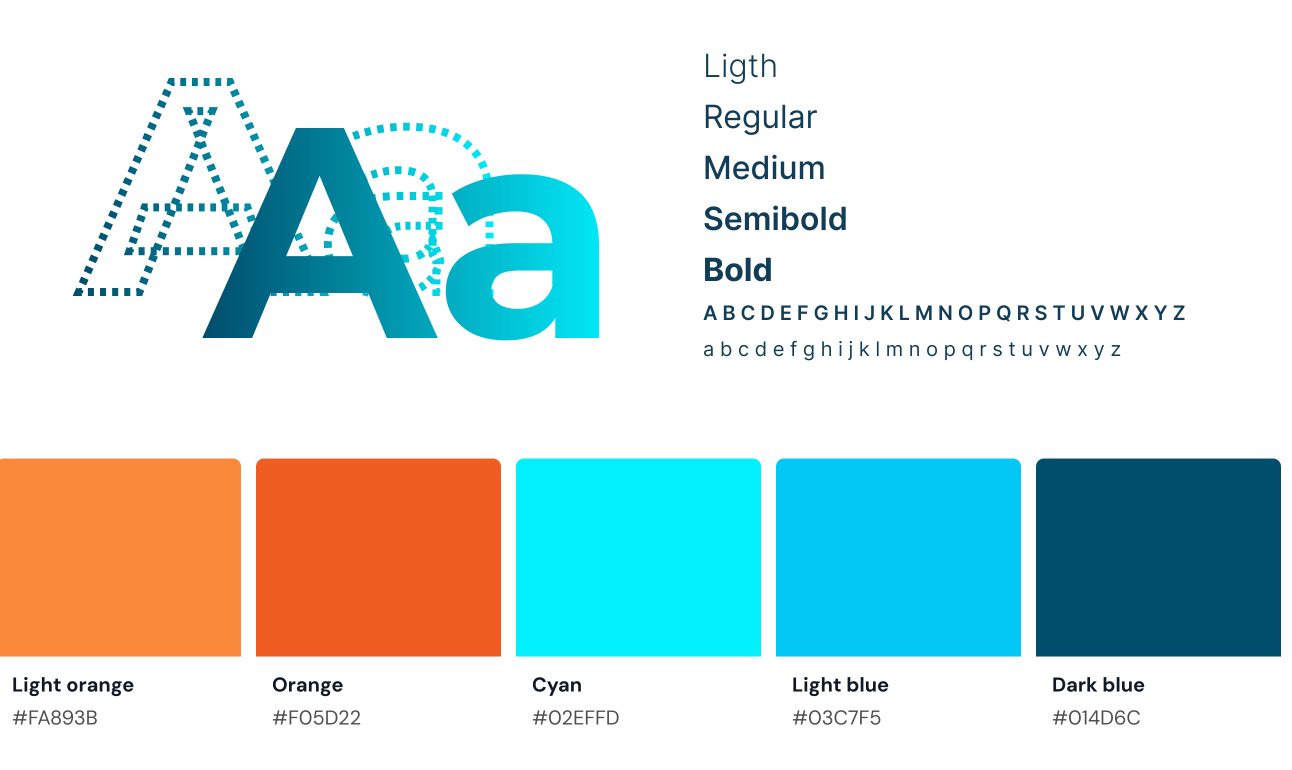
Style guide

Interface
Hardware
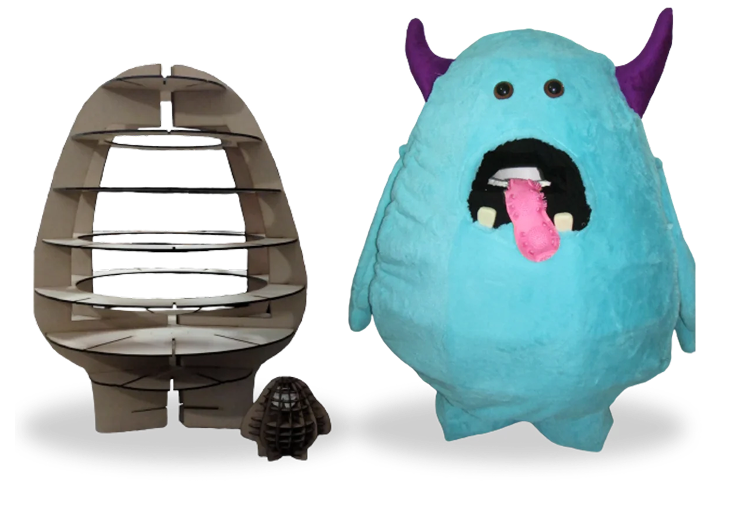
Pistacho is 1 meter tall and 60 cm wide. A 3D model was created and then processed through a slicer. This tool provided the plans for cutting it in wood. The cutting was done with a laser using 5.5 mm thick MDF wood. The internal part is hollow to accommodate the electronic components inside. The wooden structure was designed so that the pieces interlock, forming a stable framework. It was then covered with wadding fabric and plush fabric to provide tactile feedback for the child when interacting with Pistacho.

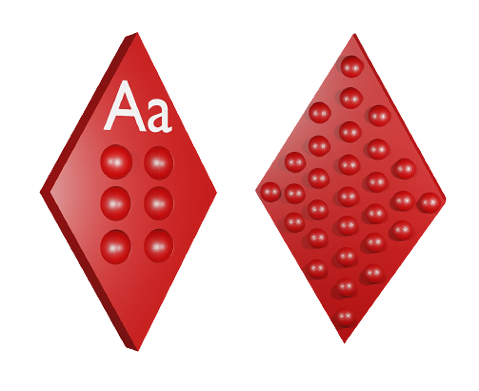
The tokens that the child will use to interact with Pistacho represent each of the five vowels and are distinguished by their geometric shape and texture. Each token has two sides: on side A, each token features a unique texture to help differentiate the vowels, considering the prominent development of the tactile sense in blind children. On side B, the vowel is written in both Braille and letters.
TEST
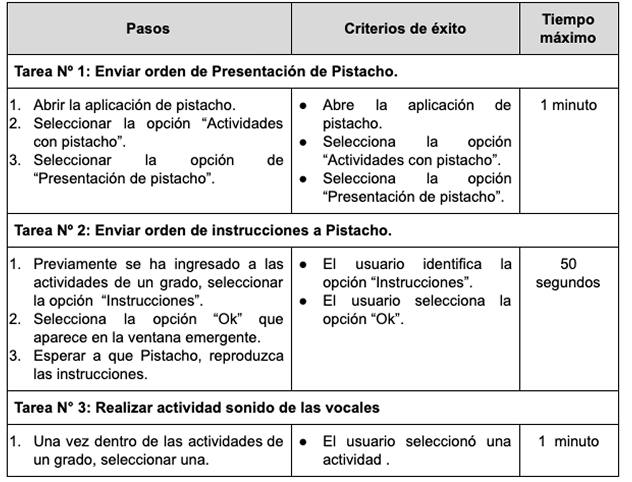
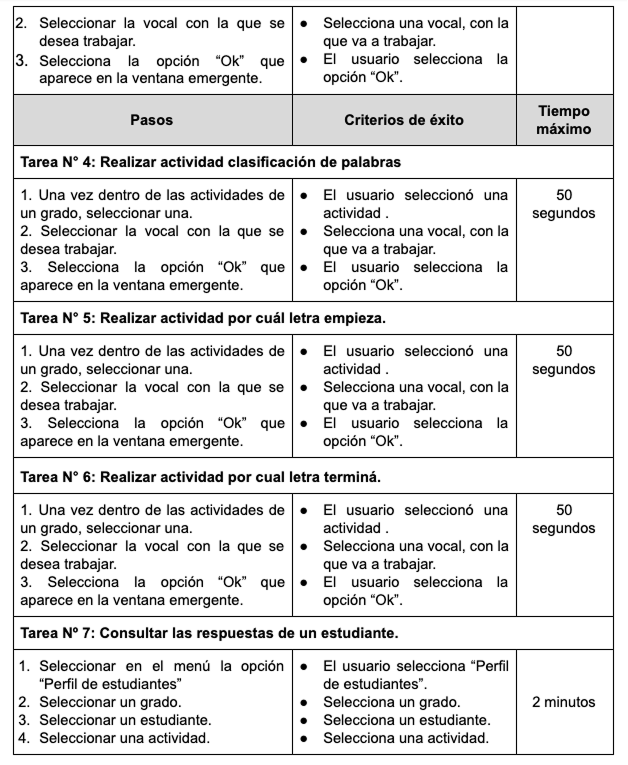
Usability test
The selected method to evaluate the software component was formal experiments, which consist of controlled and measurable experiments with test users, who, in this case, are the institute's teachers. This usability evaluation method was conducted with the aim of proving that users successfully complete the assigned tasks in the software application within a reasonable time and verifying that the software component functions correctly alongside the hardware component. In this method, users perform the requested tasks on the system while the evaluators observe the interaction and functionality of the system.